



Duplicate Handler
The Extension «Duplicate Handler» includes the plugins «Duplicate Check» and «Asset De-Duplicator».
Duplicate Check
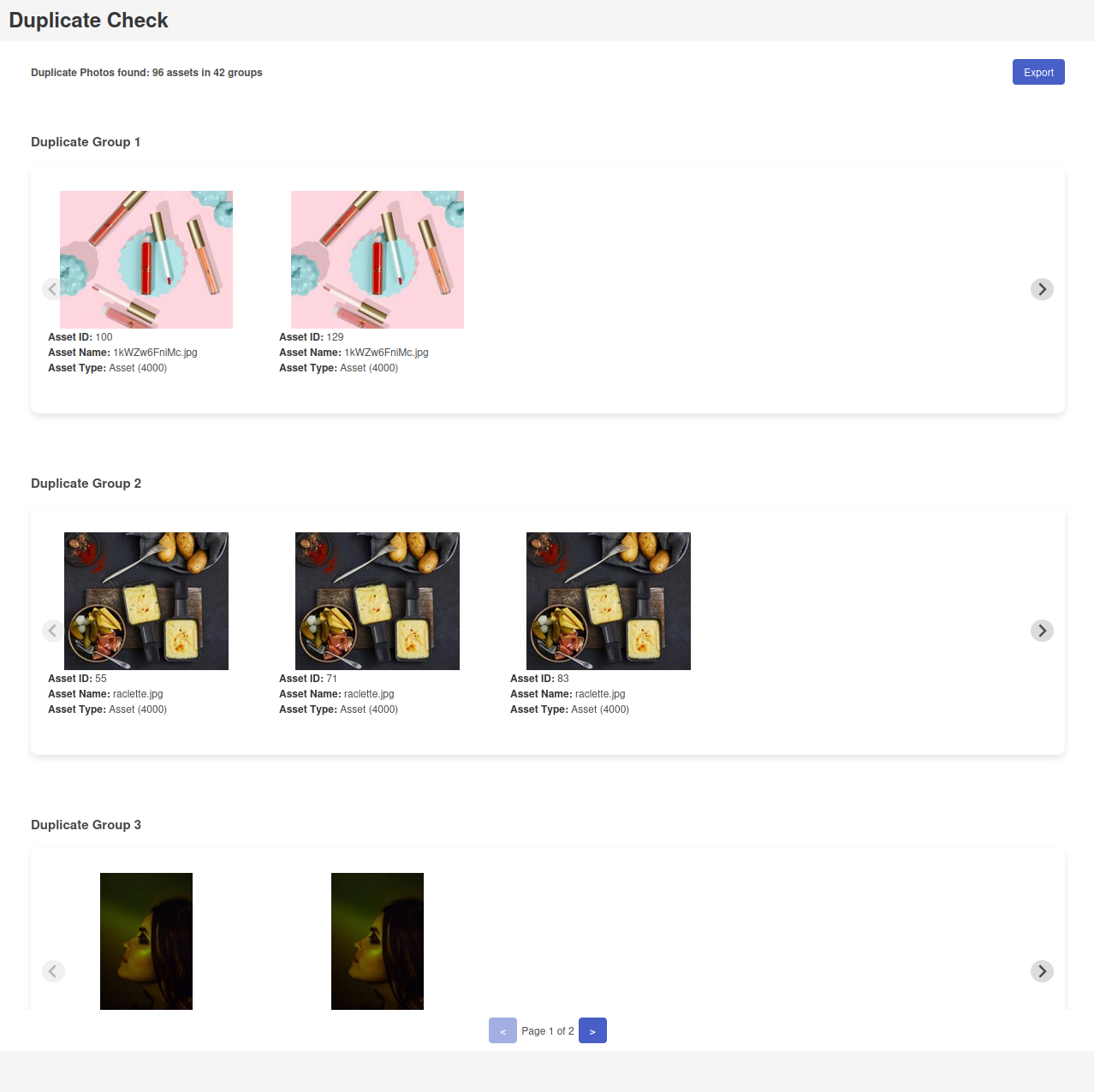
Over time, many duplicates accumulate during a manual upload, despite the integrated duplicate recognition in the CELUM ContentHub. Not only does this take up unnecessary storage space, but it also often leads to inconsistent metadata, as only one asset is tagged correctly. In addition, previously deactivated assets may still be available for download – which should be avoided.
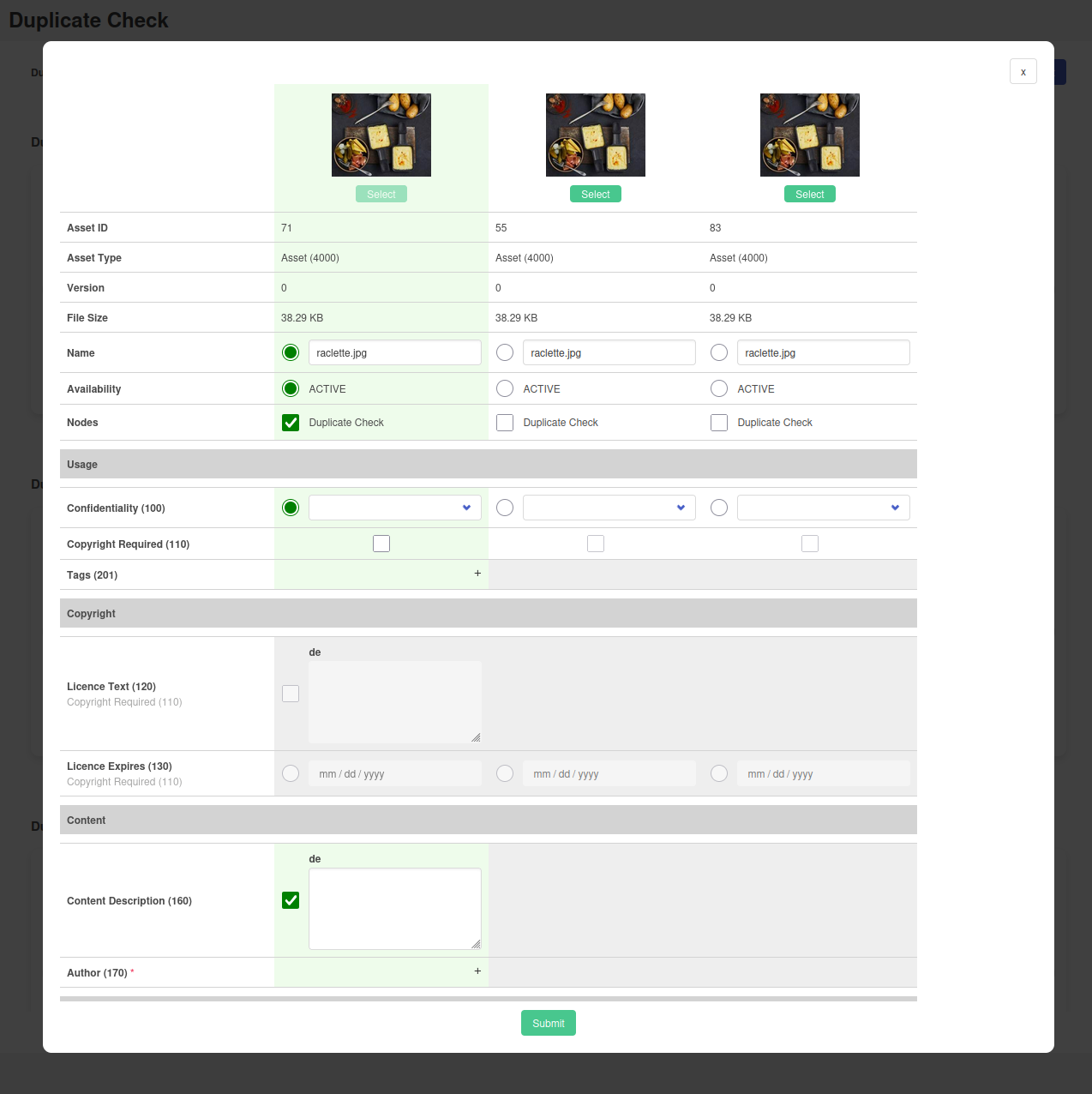
The «Duplicate Check» plugin scans all current asset versions in the system for duplicates and displays them clearly in the user interface. You then decide which information fields of the duplicate assets should be retained. During this step, you can edit the metadata directly. Automatic validation ensures that all entries are correct and immediately flags any errors.
Finally, you place the asset you wish to keep in the desired node, ensuring that only one consistent, approved asset remains in the system.
Asset De-Duplicator
Use the Asset De-Duplicator when automatically uploading assets to avoid unnecessary duplicates in a particular node (or node hierarchy).
The backend lets you configure what to do with duplicates found during the upload. Define whether they should be moved to a new node, deleted or created as a new version of the existing asset in your CELUM ContentHub.
A system task which checks your node hierarchy at regular intervals is also available – automatically and without additional effort.